What a face pack is
A face pack is a set of GIFs from a character pack, made again with one face you choose: yours, or a friend's with their permission. You pick the character, pick the GIFs, add one photo, and GifChat makes those GIFs with that face.
Two characters to start
Face packs start from two character packs: Patrick Bateman and Mellstroy. You choose which of the character's GIFs get the new face, at least 10, so the pack holds only the reactions you want.
Character packPatrick Bateman
Character packMellstroy
How to make one
In the GifChat iPhone app, open the GIFs tab, go to My Packs and tap New Face Pack. Pick the character pack, Patrick Bateman or Mellstroy, then pick at least 10 of its GIFs. Add one face photo, yours or a friend's, and tick the box that says you have their permission; it is required. Pay, and the app makes those GIFs with that face.
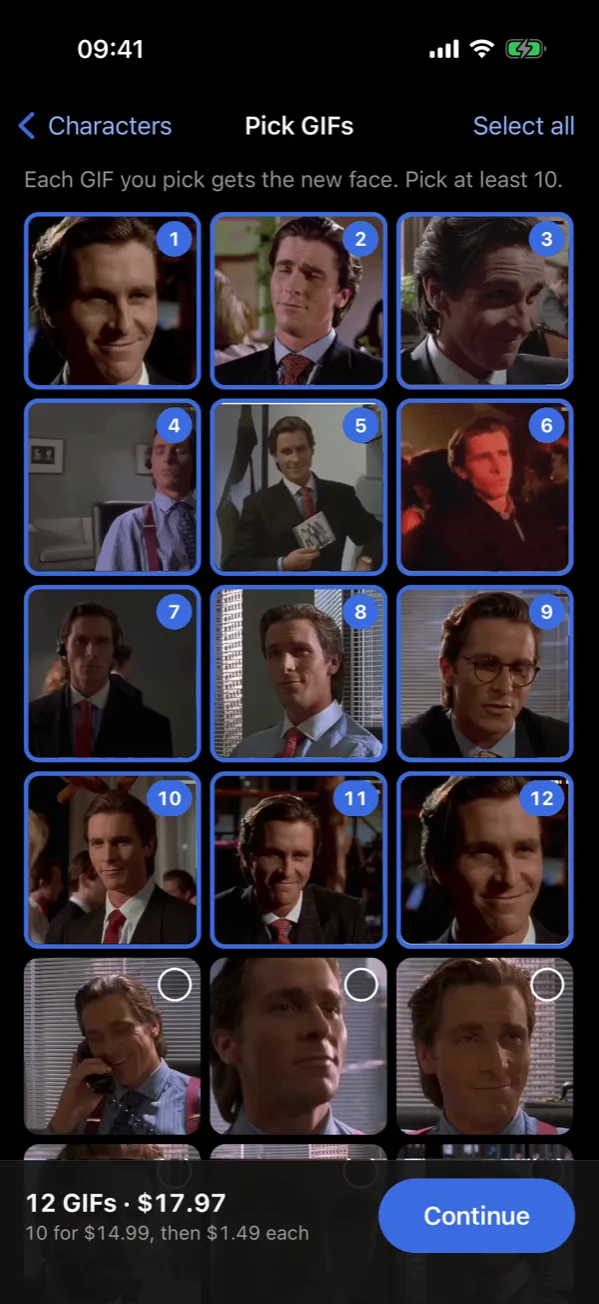
Pick at least 10 GIFs
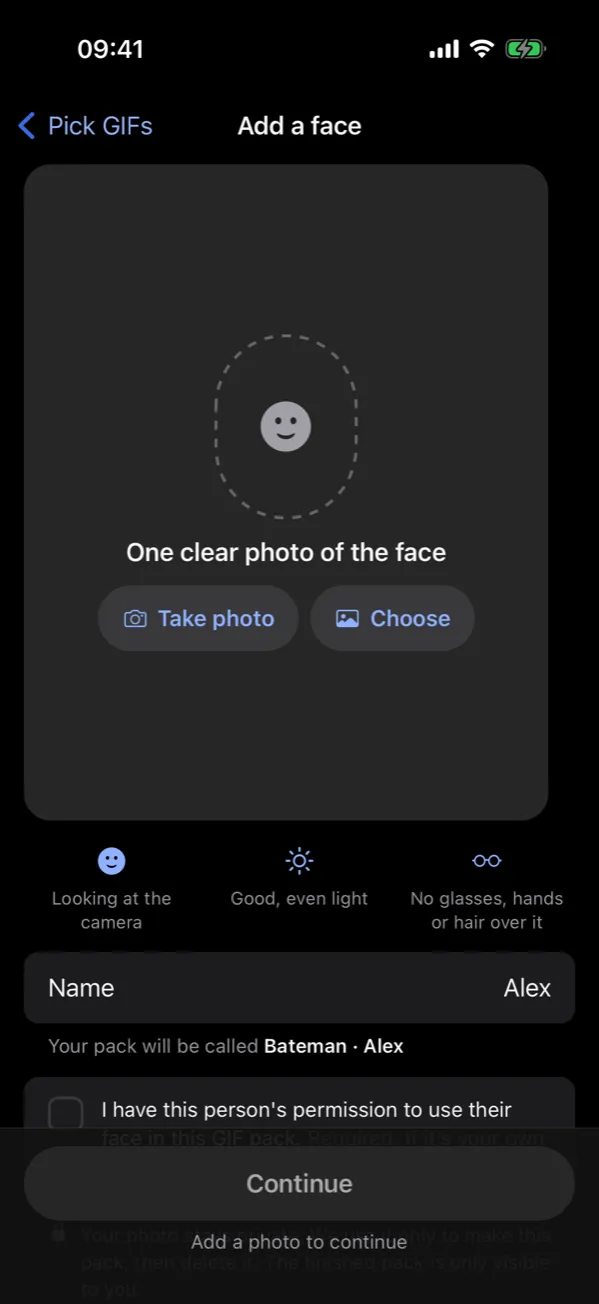
Add one face photo
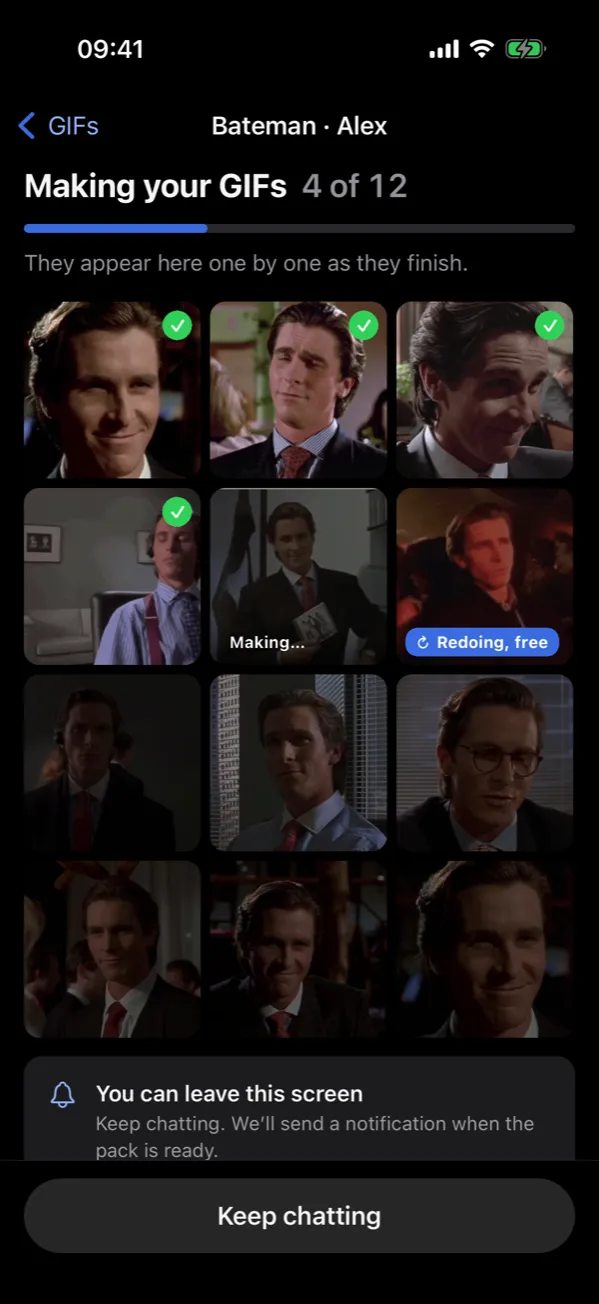
The app makes them
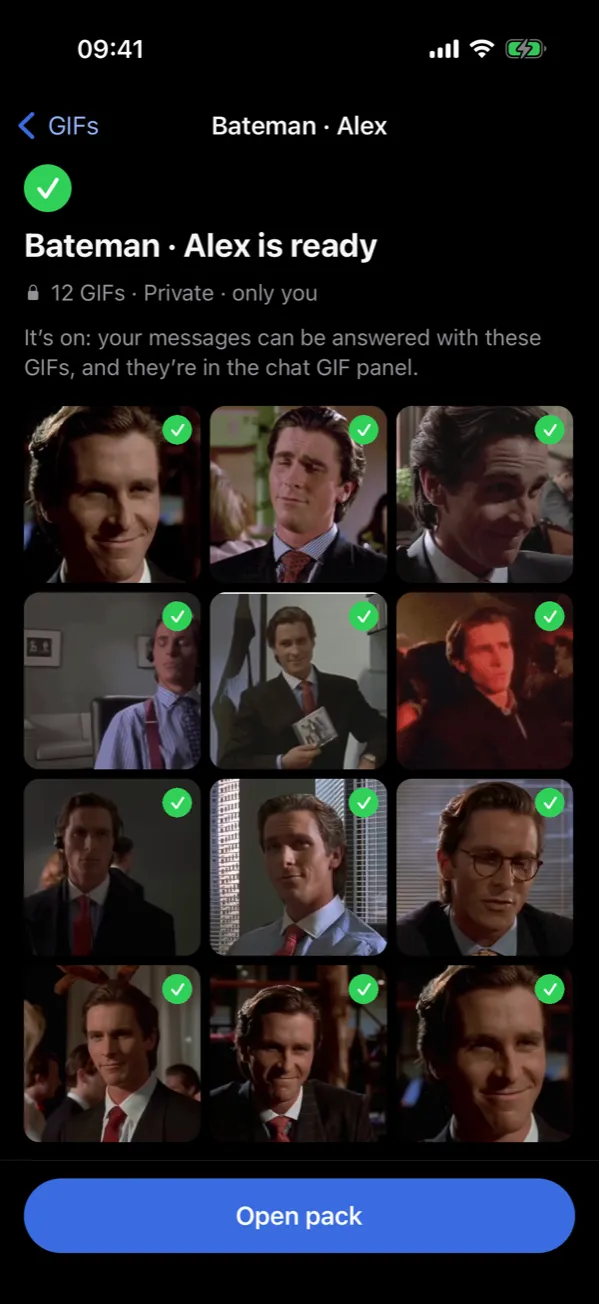
Your private pack
It works like your other packs
The finished GIFs become a private pack that only you have. It works like any other pack: the GIFs fire in your chats on the right messages, because they carry the same tags as the original GIFs, and you can use them in AI chat videos.
What it costs
A face pack is $14.99 for 10 GIFs, and $1.49 for each GIF over 10. So 12 GIFs come to $17.97.
If a GIF does not come out right
A GIF that does not come out right is redone for free. If it still fails, you get a GIF credit to add another GIF instead. Credits never expire.
Your photo stays private
The face photo is private and never shown to anyone else. It is deleted afterwards; if you still have GIF credits left, it is deleted within 30 days at most.
Where to find it
Face packs are in the GifChat iPhone app: open the GIFs tab, go to My Packs and tap New Face Pack.