
Viral video maker
GifChat is a viral video maker for one of short-form's most shared formats: the chat story. Nobody can promise a video will go viral, and we do not. What a viral video maker can do is put the things that shareable chat stories have in common into every video by default, so each one you post is made for going viral on TikTok, Reels and Shorts.
The studio needs a GifChat account, which you create in the iPhone app.
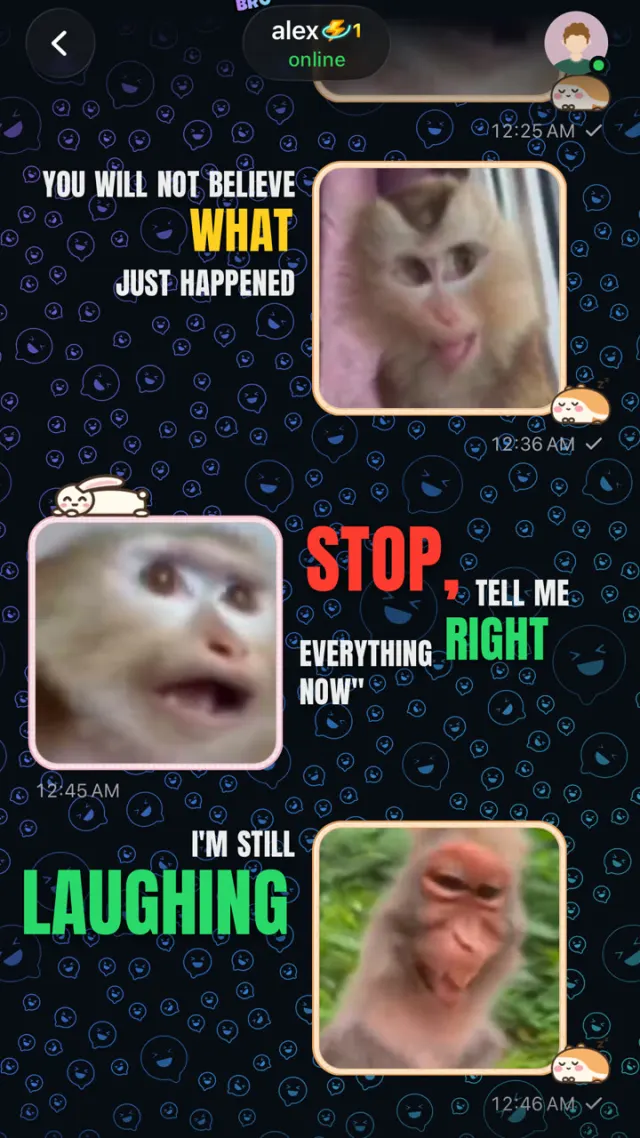
What shareable chat stories have in common
They open on the conflict, not the greeting. They escalate, so each message raises the stakes a little. They turn near the end, with a reveal the viewer did not see coming. They work with the sound off, because the words are on screen, and better with it on. And they end with something left open, so people argue about it in the comments and send it to a friend to ask what they think.
How this viral video maker builds that in
GifChat's script writer opens mid-tension, escalates and turns near the end. Each message gets an emotion tag, and the AI voice reads it that way, so a shocked line sounds shocked and a sarcastic one lands flat. A real GIF reaction is picked for every line from the packs you chose for that person. Sound effects go on the beats that deserve them rather than everywhere. Caption looks such as Karaoke, Breakout and Headline make the key words hit, and an optional opening photo or clip sets up the first beat before anyone types.
Formats worth trying first
Debate puts two people on opposite sides of one topic at a heat level you pick; leaving the verdict open gives the comments a job. Write a scenario suits relatable situations, like a roommate who keeps eating your food or a friend caught in an obvious lie. Start from a picture builds a story around something seen, like a screenshot or a crashed car. Surprise me is there when you have no idea at all.
Let your audience decide
Whether a video takes off is up to the people watching it. The useful habit is to make several, post them, and see which stories get comments and shares. Then make more like those. Make it with AI keeps the script when you ask for a change, so "same story, meaner ending" is one message away.
How to make one with GifChat
Get GifChat on iPhone
Create an account. It comes with 3 free minutes of video, once.
Start from a conflict
Pick Write a scenario or Debate and give it a situation with tension in it.
Choose a tone and length
Funny, Dramatic, Chaotic and the rest; 30 seconds, 1 minute or 2 minutes.
Pick voices and reactions
Two contrasting AI voices and a GIF pack for each person.
Choose a caption look
Default, Colour, Karaoke, Breakout, Stickers, Headline, Balloon or Shuffle, over one of 9 caption styles.
Generate, post, repeat
Download the 1080x1920 MP4 in two to five minutes and post it on TikTok, Reels and Shorts.
Tips
- Test the hook by deleting the first message. If the story still makes sense, that message was setup, so cut it.
- End one beat early. A final line that answers everything gets watched once; one that leaves a question gets argued about.
- Match the background to the mood: Subway Surfers for comedy and chaos, parkour for tension.
- Keep characters fictional. Real names and faces cause problems no hook is worth.
Questions
Will my video go viral?
Nobody can promise that. GifChat builds the hook, the escalation, the twist, the reactions and the captions into every video; what happens next depends on the story and the audience.
How long should a video be?
Start with 30 seconds, about fifteen messages with one twist. Move to a minute when a story needs a proper turn.
Can I change the script before or after it renders?
Yes. Paste a script lets you write every word. In Make it with AI, you can ask for changes after the video plays and it remakes it while keeping what you liked.
What does it cost?
3 free minutes once for every new account. Then Starter 20 minutes a month for $19.99, Creator 65 for $49.99, Pro 200 for $99.99, bought in the iPhone app.
Which platforms is it made for?
TikTok, Instagram Reels and YouTube Shorts. The vertical 1080x1920 MP4 works on all three without changes.
Related
Other formats
- Fake text message videos
- TikTok text stories
- Minecraft parkour stories
- Subway Surfers chat videos
- YouTube Shorts stories
- Fake text story generator
- AI text story video maker
- Text message videos with GIF reactions
- Reddit-style story chat videos
- Chat story videos in the browser
- AI video generator for TikTok
- Faceless video generator

Make your first one free
New accounts get 3 free minutes, once. Create yours in the iPhone app, then make videos there or in the studio at gifchat.app/studio.