
Faceless video generator
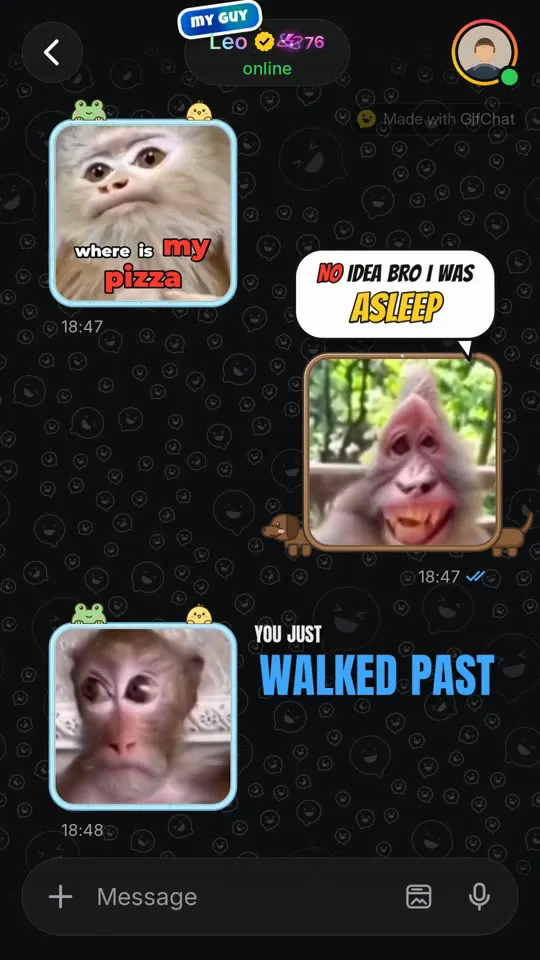
A faceless video generator makes videos you can post without being on camera or recording your voice. GifChat does it with text stories: two characters chat on a phone screen, a real GIF reaction answers every message, two AI voices read the parts, and captions, sound effects and music are mixed in. It is built for faceless TikTok accounts and YouTube Shorts channels that need a steady supply of new videos.
The studio needs a GifChat account, which you create in the iPhone app.
Why text stories suit a faceless channel
Most faceless formats still lean on a narrator. A chat story does not need one: the two characters are the cast, the GIF reactions are their faces, and the AI voices are their voices. Every video is a new story, so the channel never runs out of material the way a list or a fact channel can. And because the whole video is generated, the time you spend goes into ideas, not into recording, cutting and captioning.
Make your faceless channel recognisable
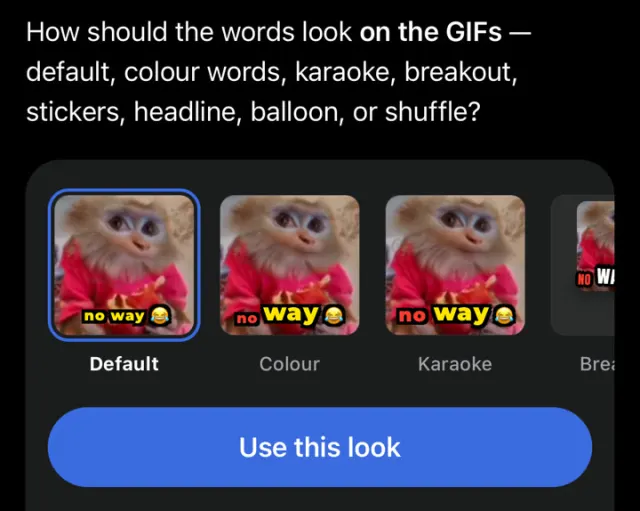
A faceless account still needs a face, and here that face is the look. Keep the parts the same from video to video: the same GIF packs for a recurring character, the same voices, the same caption style and look, the same background. The chat header can show a name in Plain, Gold or Holographic style with a tick and a small badge word, which works as a signature. Someone scrolling past should recognise one of your videos before they read a word.
Keeping up the volume without repeating yourself
Faceless channels live on consistency, so the bottleneck is ideas. Surprise me invents a full story in one tap. Debate gives you endless arguments, from winding each other up over nothing to a fight that matters to both. Write a scenario turns a single sentence into a chat. Videos render on GifChat's servers in about two to five minutes, and keep rendering if you close the app, so you can queue the next idea while the last one finishes. On a laptop, the same studio runs at gifchat.app/studio.
Use a faceless video generator responsibly
Keep the stories fictional. Do not use real people's names, photos or likeness, and write your own situations rather than reposting someone else's post. You own the videos you make and you are responsible for what is in them, so treat each one like something you would put your name on, even if your face is not in it.
How to make one with GifChat
Create your account in the iPhone app
New accounts get 3 free minutes once. After that you can make videos in the app or in the browser.
Decide on your cast
Pick the voices and GIF packs your recurring characters will use, and reuse them so the channel feels consistent.
Start a story
Surprise me, Write a scenario, Debate, Start from a picture, or Paste a script you wrote.
Lock in your look
Choose a caption style, caption look and background once, and keep them for the series.
Generate
30 seconds, 1 minute or 2 minutes. The button shows the minutes the video will use before anything is charged.
Post everywhere
One 1080x1920 MP4 for TikTok, YouTube Shorts and Instagram Reels.
Tips
- Give each recurring character a personality in one line, like "always late, always has an excuse", and reuse it. Series are easier to follow than one-offs.
- If you post on both TikTok and Shorts, a one-minute story with a real twist suits Shorts, where viewers tolerate a little more setup.
- Upload your own background clip if you want a look nobody else has. Video or image, up to 30MB.
- Batch your ideas: write five one-line scenarios at once, then generate them one after another.
Questions
Do I have to show my face or use my voice?
No. The characters are shown as a chat with GIF reactions and read by AI voices. Nothing is recorded from you.
Does it work for YouTube Shorts?
Yes. The video is a vertical 1080x1920 MP4, which Shorts, TikTok and Reels all take as-is.
Which languages can the videos be in?
English or Romanian. The script, the voices and the captions all follow the language you choose.
Will my videos look like everyone else's?
Only if you use the defaults. You choose the GIF packs, voices, bubble frames, caption style and look, the name style in the header, and the background, which can be your own video or image.
How many videos can I make?
As many as your minutes allow. A 30-second video uses half a minute. Starter has 20 minutes a month for $19.99, Creator 65 for $49.99, Pro 200 for $99.99.
Related
Other formats
- Fake text message videos
- TikTok text stories
- Minecraft parkour stories
- Subway Surfers chat videos
- YouTube Shorts stories
- Fake text story generator
- AI text story video maker
- Text message videos with GIF reactions
- Reddit-style story chat videos
- Chat story videos in the browser
- AI video generator for TikTok
- Viral video maker

Make your first one free
New accounts get 3 free minutes, once. Create yours in the iPhone app, then make videos there or in the studio at gifchat.app/studio.